
Automating Your Savings: What It Means and How It Works in Practice

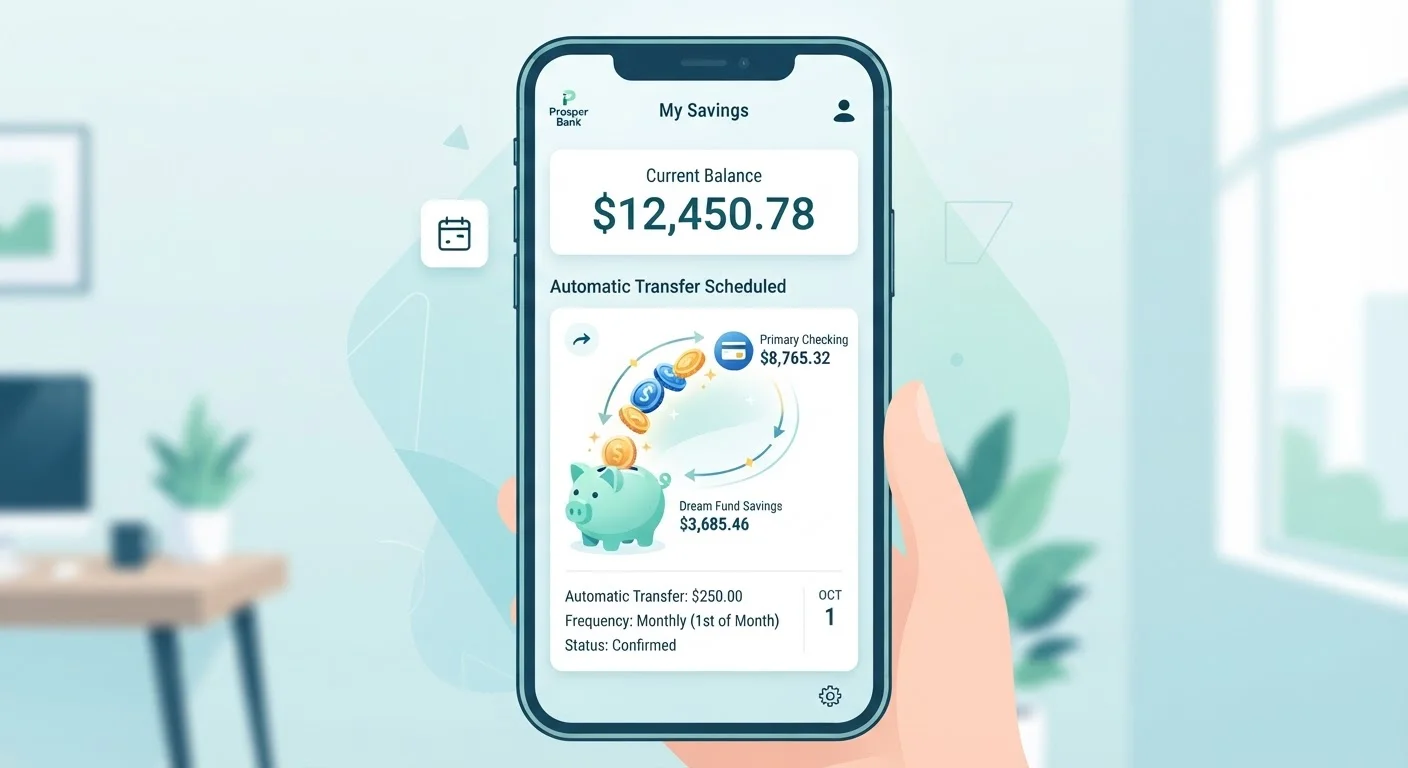
Photo: BridgeWish.com | Reliable Source Of Information editorial
Key Takeaways
- Automated savings transfers move money on a set schedule without requiring manual action each time.
- Starting with a small, consistent transfer amount is more effective than waiting until you can save more.
- You'll need a dedicated savings account and your bank's transfer or payroll settings to get started.
- Monitoring your account balance prevents overdrafts after automation is active.
- Automation works best when your transfer amount reflects your actual take-home pay and expenses.
What Automated Savings Actually Means
Automating your savings means instructing your bank or employer to move a fixed amount of money from your income into a savings account on a predetermined schedule - without you having to initiate the transfer each time. The core idea is to remove the willpower requirement from saving. Rather than deciding each pay period whether to move money and how much, the decision is made once and then executed automatically.
Behavioral research in personal finance consistently points to friction as one of the biggest barriers to saving. When saving requires an active choice, it competes with immediate spending needs and impulses. Automation flips that dynamic: spending the money becomes the active step, while saving happens by default.
This doesn't require sophisticated software or a large income. The mechanics are built into standard banking infrastructure that most Americans already have access to. If you want to understand the tradeoffs before committing, our overview of what to set up and what to watch for covers the full picture.
What you will need
What You'll Need Before You Start
Setting up automated savings is straightforward, but a few things need to be in place first. You need somewhere for the money to go - a dedicated savings account separate from your checking - and a realistic sense of how much you can consistently transfer without overdrawing. Trying to automate too large an amount is one of the most common mistakes, and it often leads people to cancel automation entirely after one difficult month.
If you're newer to budgeting and want to ground your transfer amount in a solid spending picture, the Budgeting Basics hub offers practical guidance on tracking household income and expenses.
Online or mobile banking portal
Used to set up recurring transfer rules between your checking and savings accounts.
Employer payroll portal
Allows you to split your direct deposit so a portion goes straight to savings before hitting checking.
Basic monthly budget or spending estimate
Helps you determine a transfer amount that won't strain your checking account.
Step-by-Step: Setting Up Your Automated Transfer
Follow the steps below to get your first automated savings transfer running. The process typically takes 15 to 45 minutes, depending on whether you use your bank's transfer tool or your employer's payroll portal.
Match Your Transfer Date to Payday
Open a dedicated savings account if you don't have one
Automation works best when savings are physically separated from spending money. If you only have a checking account, open a savings account - either at your current bank for convenience or at a separate institution to reduce the temptation to transfer money back. Look for accounts with no monthly maintenance fee and no minimum balance requirement, as these are commonly available at credit unions and online banks.
Determine a realistic transfer amount
Review your last two to three months of take-home pay and recurring expenses. Subtract essential bills, groceries, and transportation costs from your average monthly income. The remaining amount represents your approximate discretionary margin. Choose a transfer figure that is sustainable every single month - not the maximum you could squeeze out in a good month. Even $25 to $50 per paycheck is a legitimate starting point. Consistency matters far more than size, especially in the early stages.
If you're unsure where to begin, our guide to setting your first savings goal walks through the process step by step.
Set up the automated transfer through your bank or payroll
You have two primary options:
- Bank transfer rule: Log in to your bank's online or mobile portal, navigate to transfers or move money, and select a recurring schedule. Choose a frequency (weekly, biweekly, or monthly) and a transfer date that falls one to two days after your paycheck deposits.
- Payroll direct deposit split: Log in to your employer's HR or payroll portal and look for direct deposit settings. Enter your savings account's routing and account numbers alongside your checking account, and specify a fixed dollar amount or percentage to send there each pay period. This method moves money before it hits checking, which many people find even more effective.
Either method accomplishes the core goal: money moves without requiring a decision each pay cycle.
Confirm the first transfer executed correctly
After your scheduled date passes, log in to both accounts and verify the transfer went through for the correct amount and that your checking account did not go negative. If your bank offers transaction alerts, enable them so you receive a notification each time the automated transfer runs. Catching a failed transfer early prevents a missed savings cycle from going unnoticed for weeks.
Review and adjust the transfer amount periodically
Automated savings are not a one-time setup. Your income, expenses, and goals will shift. Every six months - or after any significant financial change such as a new job, a raise, or a new recurring bill - log back in and revisit your transfer amount. Increasing it gradually as your income grows is a straightforward way to accelerate progress without feeling a sharp reduction in spending power.
For a broader look at how automation fits into durable money habits, see savings habits that tend to hold up over time.
Overdrafts Are a Real Risk
Common Pitfalls and How to Avoid Them
Automation handles the mechanical side of saving, but it doesn't eliminate the need for occasional human oversight. The two most common problems are overdrafts caused by timing mismatches between transfers and paychecks, and transfer amounts that made sense when set but no longer fit the household budget months later.
Don't Set and Forget Indefinitely
It's also worth noting what automation doesn't do: it doesn't grow your savings faster than your contribution rate, and it doesn't substitute for having a clear goal. Pairing automation with a specific target - an emergency fund, a down payment, a particular dollar amount - gives the habit purpose and makes it easier to stay consistent. Our piece on savings myths that keep people from getting started addresses several misconceptions that can stall progress before it begins.
This article is for general informational purposes only and does not constitute personalized financial advice. Consider consulting a qualified financial professional for guidance specific to your situation.
The content on this site is for informational purposes only and is not a substitute for professional advice. Always consult a qualified professional for guidance specific to your situation.