
Spreadsheet Budgets vs. Budgeting Apps: Which Approach Works Better?

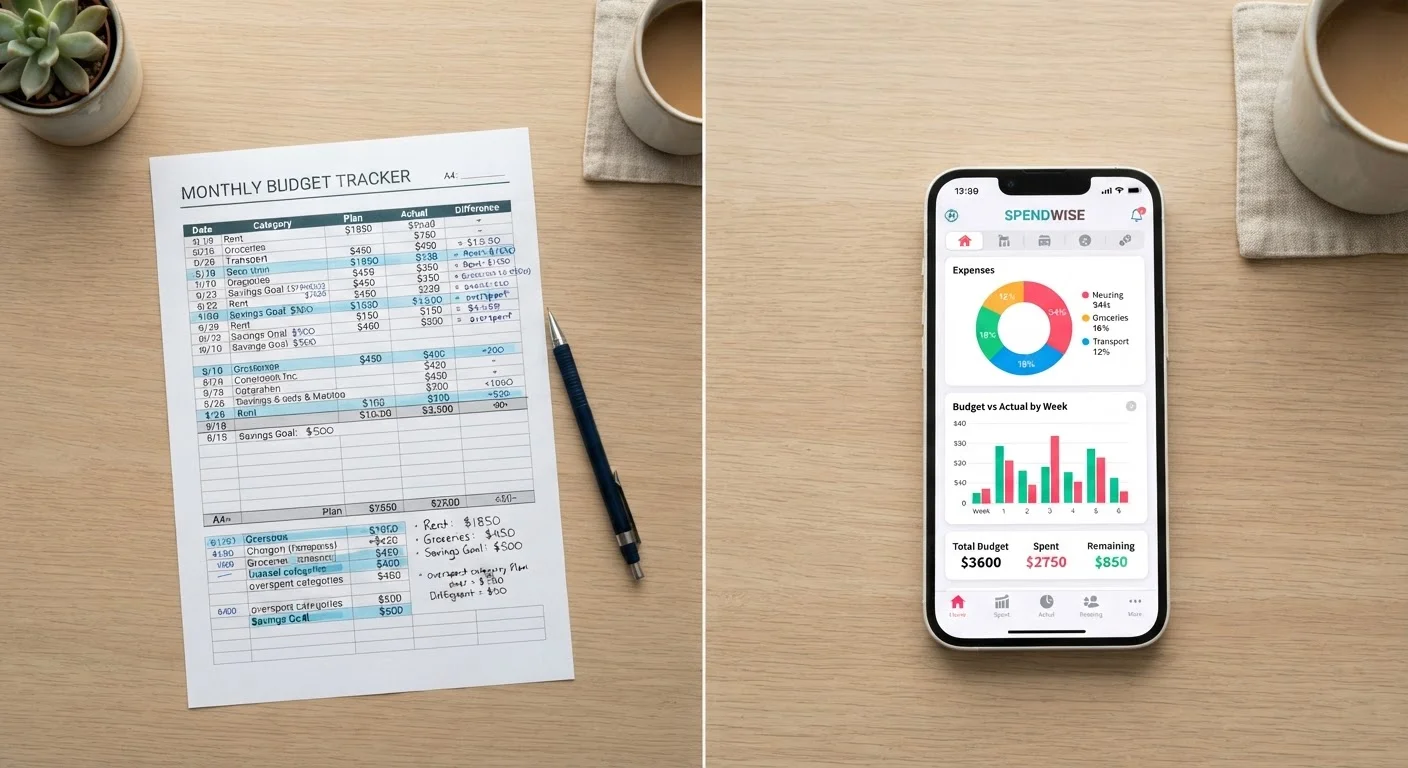
Photo: BridgeWish.com | Reliable Source Of Information editorial
Key Takeaways
- Spreadsheets offer maximum flexibility and cost nothing, but require consistent manual upkeep.
- Budgeting apps automate transaction imports and send alerts, reducing the time you spend on data entry.
- Neither tool budgets for you - the method only works if you engage with it regularly.
- Your existing habits with technology and numbers should drive the choice, not hype.
- Some people benefit from combining both: an app for daily tracking and a spreadsheet for big-picture planning.
The Core Difference: Manual Control vs. Automated Convenience
A spreadsheet budget - whether built in Google Sheets, Excel, or a similar tool - is essentially a blank canvas. You define the categories, enter the numbers, and design the formulas. That demands effort, but it also means the budget reflects exactly how your household thinks about money.
Budgeting apps (software tools that connect to your bank accounts and auto-categorize transactions) flip that equation. Setup is faster, data flows in automatically, and most apps flag unusual spending or approaching budget limits without you having to check. The trade-off is that you're working inside someone else's structure, which may or may not match how you actually spend.
Both approaches rest on the same foundation: knowing where your money goes. If you're still figuring out how to capture that information consistently, practical expense tracking methods can help you establish that habit before choosing your tool.
| Criterion | Spreadsheet | Budgeting App | |
|---|---|---|---|
| Upfront cost | Free (Google Sheets) or low-cost | Free tier or $10-$15/month subscription | |
| Setup time | Moderate to high - built by you | Low - guided onboarding | |
| Customization | Unlimited - fully user-defined | Limited to app's category structure | |
| Data entry | Manual - every transaction typed | Automatic - bank sync pulls transactions | |
| Alerts & notifications | None built in | Spending alerts, bill reminders | |
| Mobile access | Possible but less convenient | Native mobile experience | |
| Data privacy control | Data stays on your device or drive | Bank credentials shared with third party | |
| Best for | Detail-oriented, customization-focused users | Busy households wanting low-friction tracking |
Where Spreadsheets Have the Edge
Cost is the most obvious advantage. A Google Sheets template is free, and countless solid budget templates are available from public sources at no charge. For households watching every dollar, eliminating a monthly subscription matters.
Customization runs deeper than most people realize. Want to track a sinking fund for car repairs separately from your emergency fund? Need to model what happens to your cash flow if you pick up a side gig? A spreadsheet lets you build exactly that logic. Apps often cap categories or force you into their predefined spending buckets.
Manual entry also has a behavioral upside that's easy to overlook. Typing in each purchase forces you to confront it. Research in behavioral economics suggests that friction - the small effort of logging a transaction - can make spending feel more deliberate. If overspending is your problem, that friction might actually help.
Start With a Template, Then Customize
For a deeper look at how to structure a spreadsheet budget from scratch, see building a budget that reflects your life.
Where Budgeting Apps Have the Edge
Automation is the headline benefit. Most budgeting apps pull transactions directly from linked accounts daily, categorize them, and update your budget totals in real time. For people with busy schedules or multiple income streams, that removes a significant barrier to staying on track.
Alerts and notifications are another genuine advantage. An app can tell you when you're nearing your dining-out limit or when an unusual charge appears - before you've spent money you didn't plan to. A spreadsheet only tells you that when you remember to open it.
Mobile access matters too. Checking your budget at the grocery store or before booking a trip is far easier with an app on your phone than opening a laptop and navigating to a file. Convenience drives consistency for many people.
~1 in 3
Americans who follow a formal budget
Surveys from Gallup and similar polling organizations have consistently found that fewer than half of US adults maintain a detailed household budget.
74%
Adults who feel stressed about personal finances
According to the American Psychological Association's annual Stress in America surveys, money regularly ranks among the top sources of stress for US adults.
One caveat: apps vary significantly in their privacy practices and data-sharing policies. Before linking bank credentials to any app, review its privacy policy and understand how your financial data is stored and used. This is general guidance - for decisions about your specific accounts and data, consulting with a qualified financial professional or your financial institution is worthwhile.
The Hidden Costs and Risks of Each
Spreadsheets can fail silently. A broken formula, an overlooked row, or a tab you forgot to update can make your budget look fine when it isn't. Version control is also a real issue if multiple household members are editing the same file.
Apps carry a different kind of risk. Subscription fees - commonly ranging from roughly $10 to $15 per month for premium tiers - add up over a year. More importantly, if a service shuts down or changes its terms, you could lose historical data or find your workflow disrupted. Syncing errors between apps and banks also happen, and an uncategorized transaction you don't notice can quietly skew your numbers.
Both tools share one universal limitation: they track what already happened. Neither prevents a bad spending decision in the moment. That's worth remembering if you expect technology alone to solve a behavioral problem. The trade-offs of strict budgeting apply regardless of which tool you use.
Don't Ignore App Data-Sharing Practices
How to Choose - and What to Do If You're Unsure
Start by being honest about your habits, not your aspirations. If you already use spreadsheets at work and feel comfortable with formulas, a DIY budget sheet is a natural extension of that skill. If the idea of building a spreadsheet feels like a weekend project you'll never get around to, an app's guided setup will likely serve you better.
Consider the budgeting method you want to use alongside the tool. Some frameworks - like zero-based budgeting - map naturally onto a spreadsheet because every dollar needs a named category you control. Other people prefer the visual simplicity of a pie chart that an app generates automatically. Zero-based budgeting and the 50/30/20 rule each have different tool affinities worth thinking through.
If you genuinely can't decide, try a hybrid: use an app for day-to-day transaction tracking and a simple spreadsheet for monthly reviews and longer-term goal planning. The two approaches aren't mutually exclusive. For more on pairing tracking methods with your lifestyle, see comparing analog and digital tracking methods.
This article is for general informational purposes only and does not constitute personalized financial advice. For guidance specific to your financial situation, consider consulting a qualified financial professional.
The content on this site is for informational purposes only and is not a substitute for professional advice. Always consult a qualified professional for guidance specific to your situation.